How I Stop My ChatGPT Learning Sessions From Starting Over
In the previous article, I wrote about a simple way I use ChatGPT for learning: try first, ask for a hint when I get stuck, try a different example, then come back later.
The last step sounds simple until there are a lot of sessions.
I might study a topic today, find one part that I still cannot explain clearly, and decide that it should come back later. A few days pass. I open a new chat. The old conversation still exists somewhere, but the new session does not have a clean answer to the question I actually care about: where should I continue?
I did not want to solve that by pasting weeks of chat history into one giant prompt. I also did not want to build a learning app or database just to remember a few useful facts.
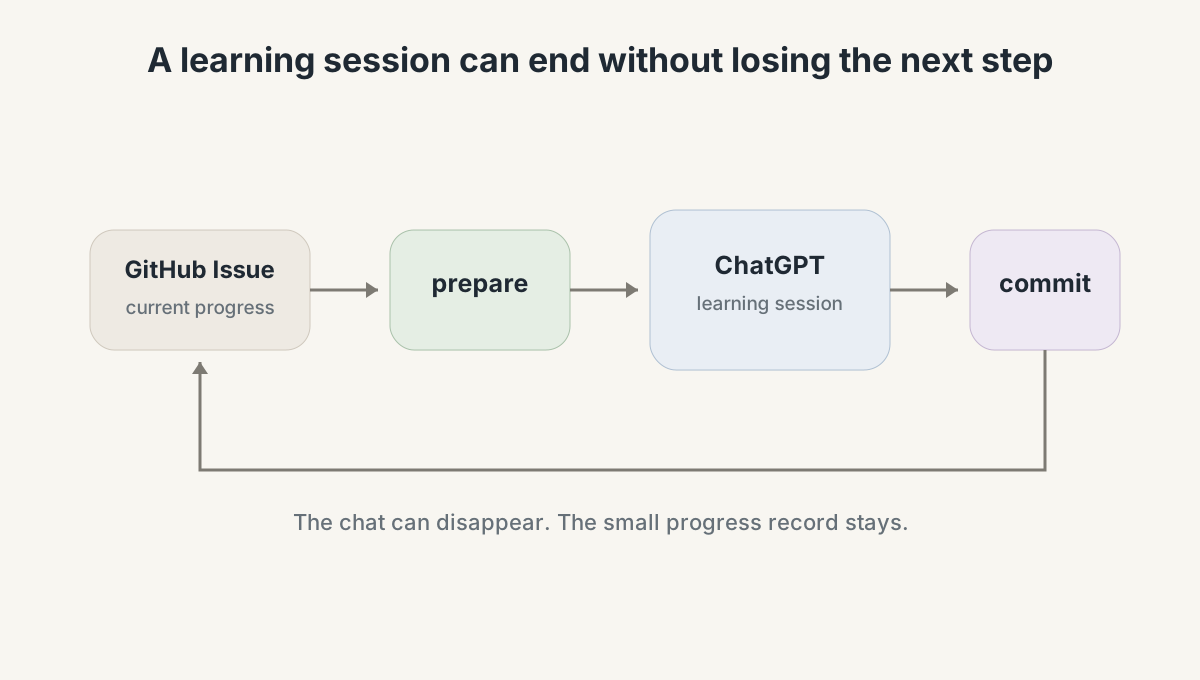
What I needed was much smaller: a note that survives the conversation.
That note ended up being a GitHub Issue.
Set it up once in a ChatGPT Project
The commands in this article are not built into ChatGPT. They come from a prompt I keep in the Project Instructions for one ChatGPT Project.
The setup is small:
- Create a ChatGPT Project for learning.
- Open Project settings and copy in the Project Instructions.
- Replace the repository and Registry placeholders with your own GitHub URLs.
- Give the ChatGPT environment a GitHub integration or workflow that can read and update Issues.
The two values at the top of the prompt look like this:
LEARNING_REPOSITORY_URL=<YOUR_GITHUB_REPOSITORY_URL>
LEARNING_DOMAIN_REGISTRY_URL=<YOUR_REGISTRY_ISSUE_URL>
Project Instructions apply to chats inside that Project, so a new chat gets the same learning protocol without me pasting the prompt again.
At the time of writing, the standard GitHub app in ChatGPT is read-only. If I want commands such as commit and domain add to persist changes, the GitHub integration or workflow I use needs Issue write access.
Once that is in place, the Project Instructions act as the learning engine and GitHub Issues hold the state it reads and updates.
ChatGPT Project
      |
Project Instructions
      |
      v
GitHub Registry + Domain Issues
One Issue for each subject
For each subject, I keep one Issue that describes the current learning state.
To make the idea concrete, imagine I am using it for Biology. After a few sessions, the useful state might be as small as this:
Biology

currently learning
- photosynthesis and cellular respiration
- how matter and energy move through cells

check next
- energy stored in glucose vs transferred into ATP

later
- test the same distinction with a new example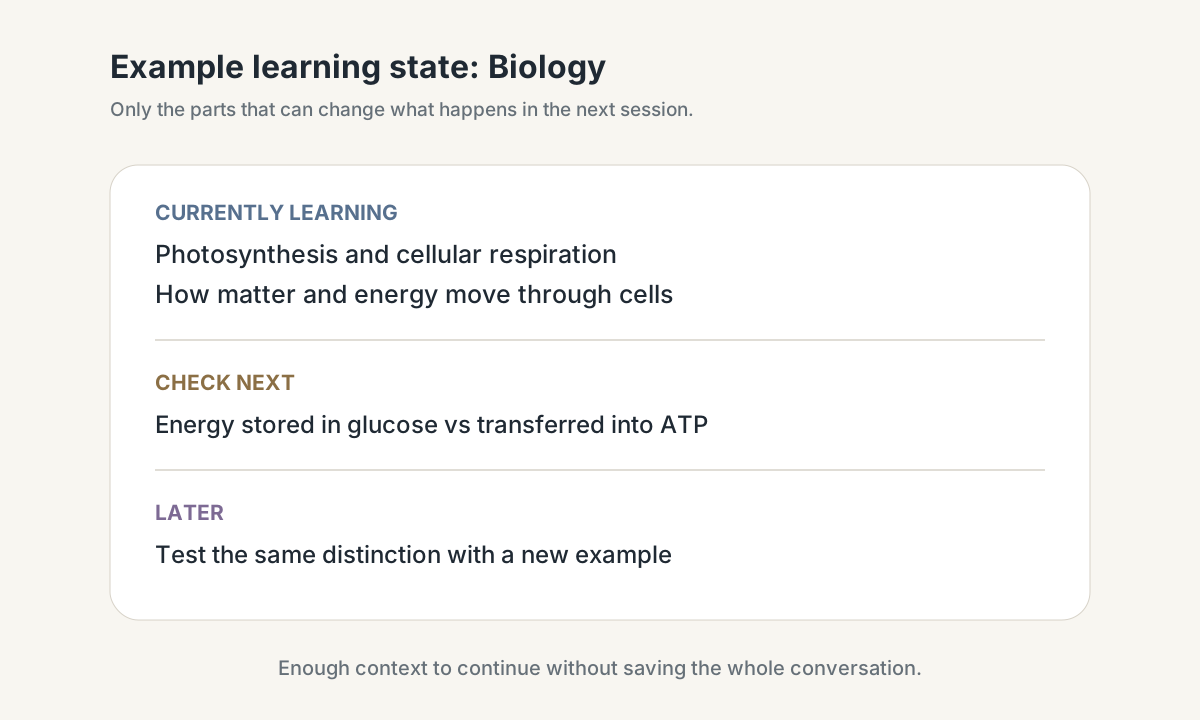
The Issue is not a notebook for everything I know. It is closer to a bookmark with a little context attached.
That distinction matters. If the state becomes another giant knowledge base, ChatGPT has to read more and more before every session. I only want enough information to answer two questions: what changed last time, and what would be useful to test next?
prepare reads it, commit updates it
I use two commands for the normal learning loop.
To start:
prepare biologyChatGPT reads the Biology Issue and picks something worth testing.
Suppose the state says I still mix up the role of glucose and ATP. Photosynthesis stores light energy as chemical energy in glucose; cellular respiration transfers energy from glucose into ATP that cells can use. Instead of giving me another explanation, ChatGPT can ask what happens to energy from sunlight when a plant makes glucose and later breaks that glucose down. I answer first. If I confuse where glucose fits with where ATP is produced, that becomes useful evidence for the session.
When I want to stop, I use:
commitAt that point ChatGPT does not dump the whole conversation into GitHub. It keeps only the parts that might change a future session.
For example:
still weak
- separating energy stored in glucose from energy transferred into ATP

next
- test the same distinction with another example
A few days later, another prepare biology can bring that weakness back using a different example instead of asking me to repeat the same answer from memory.
That is the part I care about. The next session reacts to what happened before.
I do not save the whole conversation
A transcript contains a lot of things that are useful for ten minutes and useless next week: repeated explanations, clarifying questions, dead-end examples, and all the conversational glue between them.
Saving all of that would be easy. Reading it back every time would be the problem.
So I keep the learning state instead.
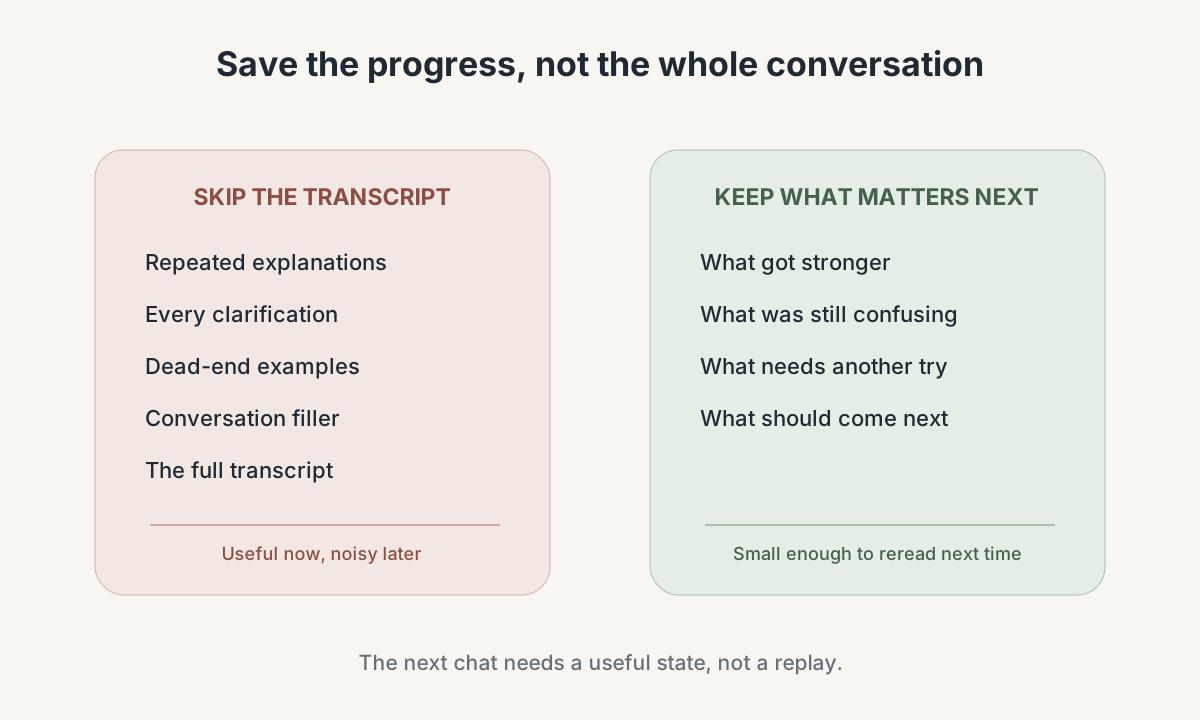
The Issue body holds the latest version. A small comment can record what changed during a committed session. Most of the time, the next session only needs the body.
This also makes the system easy to inspect. I can open GitHub and see the same state ChatGPT will see. If it chooses something strange, I have a place to look. There is no hidden database required for the core loop.
The format is intentionally boring. GitHub already gives me text, history, links, and an API. For this problem, that is enough.
More subjects only need a small index
One Issue works fine until I want to learn several things.
I do not want the main prompt to contain a growing list of Issue numbers. So I keep one more Issue as a small index that maps a short ID to each subject.
For example:
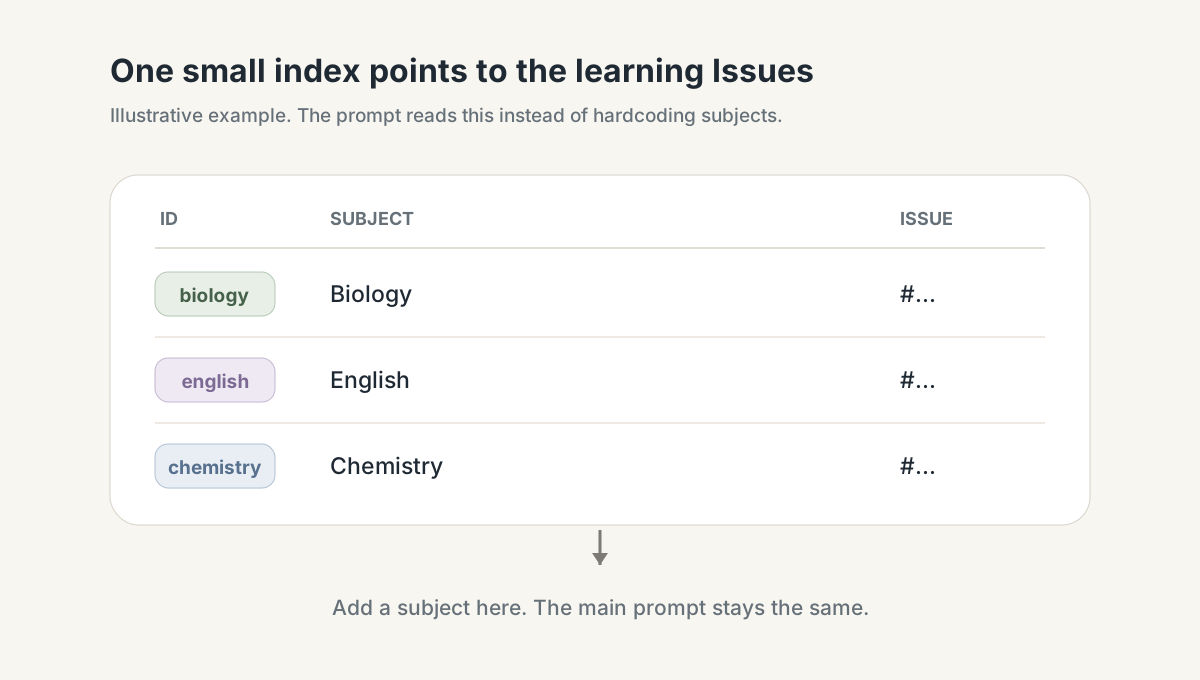
The idea is simply:
biology   -> Biology   -> one Issue
english   -> English   -> another Issue
chemistry -> Chemistry -> another Issue
Now the prompt only needs to know where that index is. The index tells it which learning Issues exist.
That also means I can add a new subject without editing the learning rules themselves:
domain add ChemistryThe new subject gets its own state. The main prompt stays the same.
I also let ChatGPT use previous context as a hint when a new subject is created, but not as proof. If an old conversation suggests that I understand a topic, that is a useful place to start testing. It is not enough to mark the topic as learned.
A new chat can continue without the old chat
The payoff is easiest to see across a few days.
Day 1 might look like this:
prepare biology

# I try to explain what happens to energy
# one weakness becomes clear

commit
Then I close the conversation.
A few days later, even in a different chat inside the same Project:
prepare biologyThe new chat does not need the old transcript. It only needs the small record left by the previous session.
It can see that I struggled to separate energy stored in glucose from energy transferred into ATP, then test the same distinction with a different example. If I handle it better, the state changes again. If I still struggle, it stays in the loop.
That is the whole reason I built this setup.
The conversation is temporary. The useful learning state is not.
The workflow stays small
The normal flow is short:
# add a subject once
domain add Biology

# start a session
prepare biology

# learn normally

# save what changed
commit

# inspect the state when needed
status biology

# another day, another chat
prepare biology
There is more machinery inside the prompt to keep updates safe and decide what should come back next. I keep that out of the day-to-day learning loop because I do not want to think about it while studying.
Optional: an Obsidian dashboard
GitHub Issues are still the source of truth. Obsidian is only a view on top of that state.
I use an optional Obsidian dashboard when I want a faster overview of what I am learning. Instead of opening several Issues, I can see the important parts in one place: what I am studying now, what needs another try, which retests are waiting, recent sessions, and what is likely to come next.
The dashboard does not decide what I know and it does not replace the Issues. If I remove Obsidian completely, the learning loop still works.
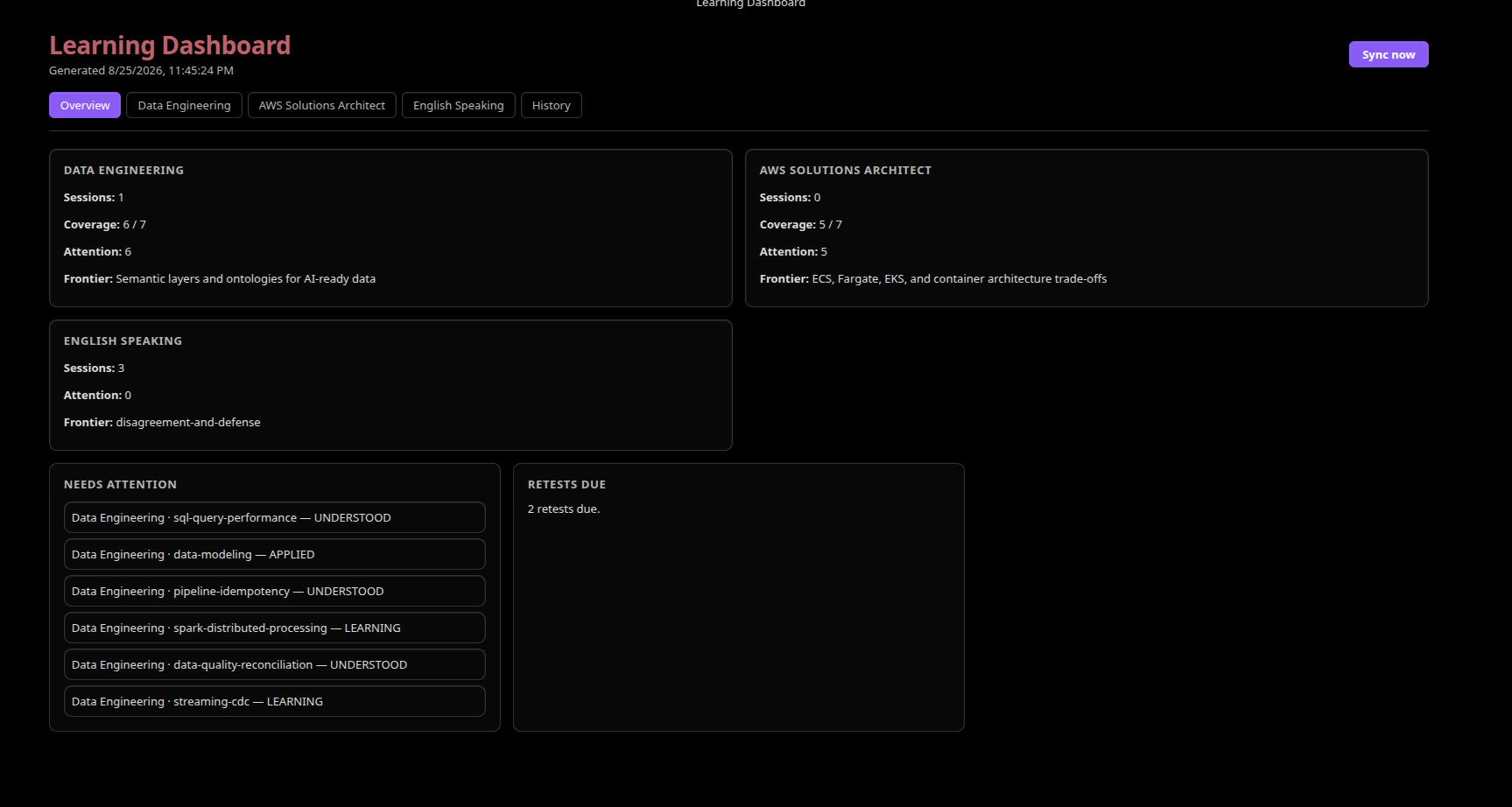
The overview gives me a quick read across subjects without opening each GitHub Issue.
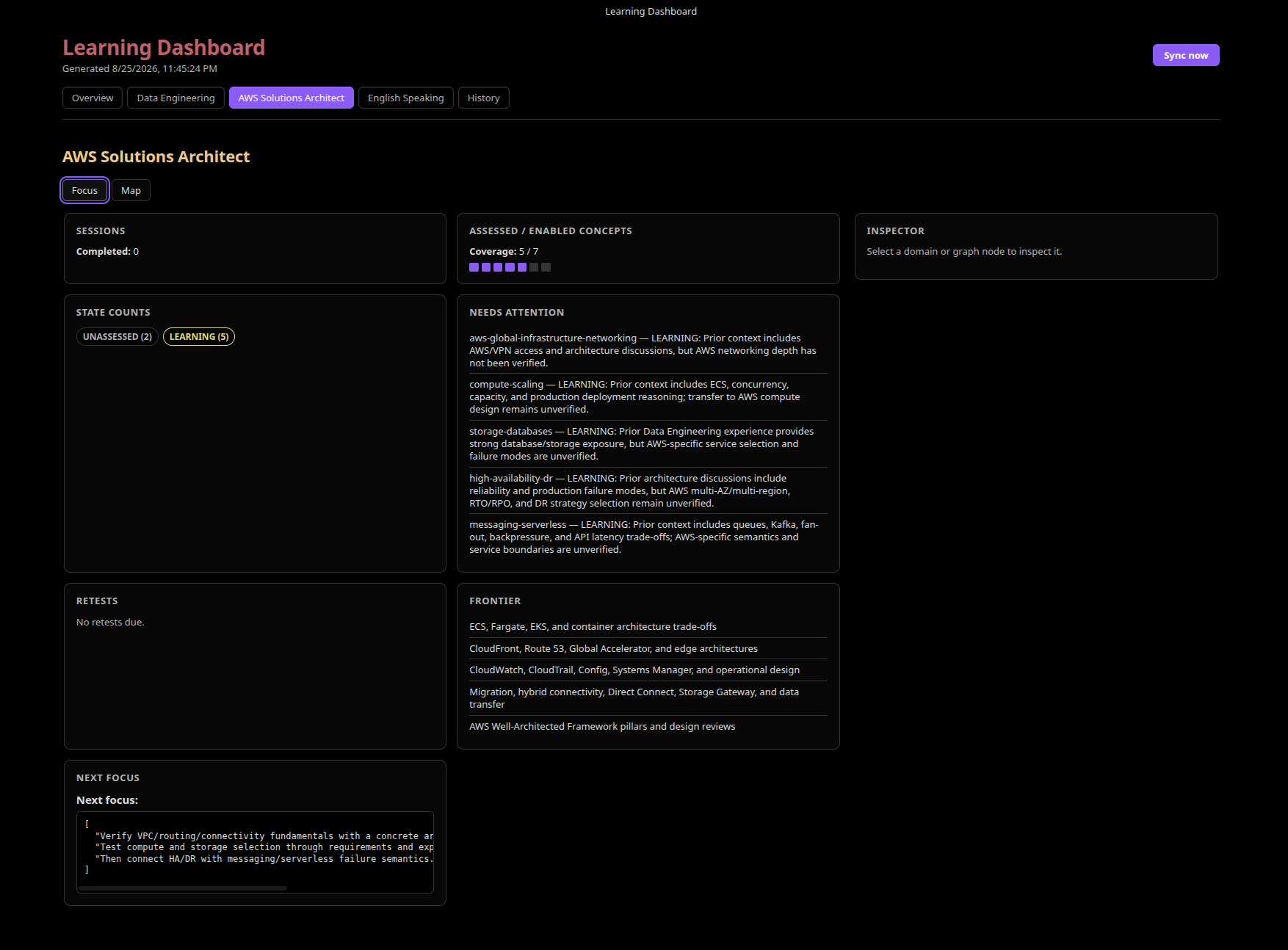
When I open one subject, I can inspect its current state in more detail: what needs attention, what should be retested, what is still unexplored, and what should come next.
I published the reusable parts separately so the setup does not depend on my Obsidian vault:
- adaptive-learning-kit contains the public setup, templates, examples, and optional integrations.
- Project Instructions is the learning engine used in the setup above.
- Obsidian dashboard plugin is the optional dashboard shown above. The sync tooling lives beside it in the same Obsidian integration.
For day-to-day use, the mental model is just this:
GitHub remembers where I am.
ChatGPT decides what to test next.
I still have to do the learning.
The storage does not make the learning useful by itself. It just gives the method from the previous article enough memory to work across more than one conversation.